



Tam Görünüm
Benzer ürünler
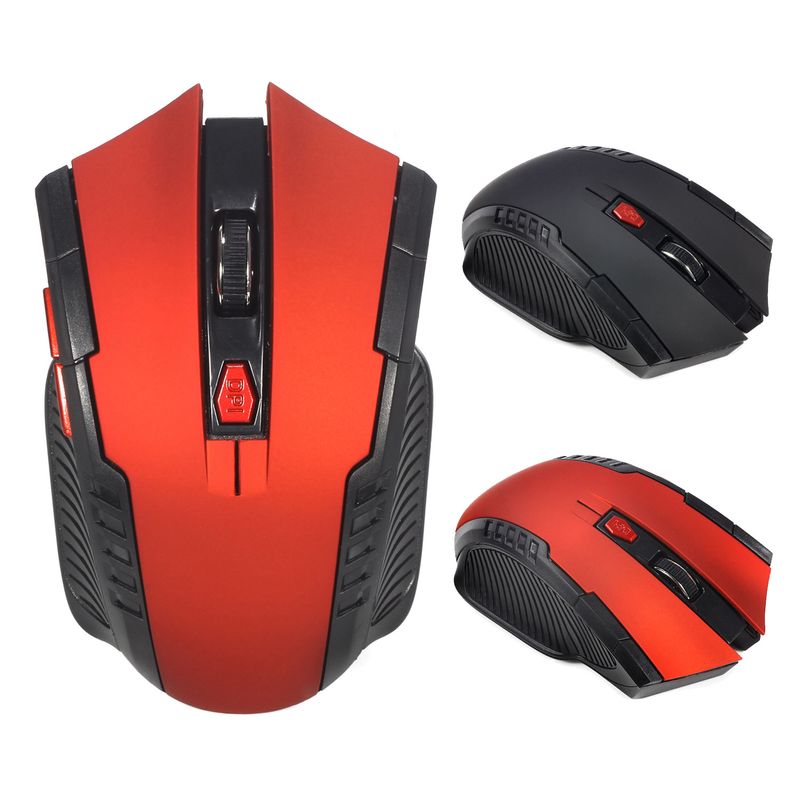
A882 6 Tuşlu 2.4G Kablosuz 1600dpi Ofis Faresi Masaüstü ve Dizüstü Bilgisayarlar İçin Uygun Stokta Toptan Satış
47.7972.45
Renk : Kırmızı


Miktar :
 Customer Service
Rapor
Telif hakkı ihlalini dahil etÜcretsiz Standart Kargo. Ayrıntılara bakınız
Wed, May 20 ile Tue, Jun 9 arasında tahmin ediliyor
Ürünü teslim aldığınız tarihten itibaren 30 gün içerisinde iade edebilirsiniz. Ayrıntılara bakınız
Güvenle alışveriş yapın

Para İade Garantisi
Sipariş ettiğiniz ürünü alın veya paranızı geri alın. Daha fazla bilgi edin
Bu öğe hakkında
CoreBox kaynağından alınmıştır
Satıcı bu ilanla ilgili tüm sorumluluğu üstlenir.Ürün numarası: 33485228
Ürün özellikleri
Özellikler
Karışık Açık, Mat, Diğer
Eksen
Optik Eksen, Yeşil Eksen, Çay Eksen
Sayısal tuş takımı
Hayır Evet
Bağlantı
Kablosuz
Boyut
<100Mm, >130Mm, 100Mm-120Mm
Satıcıdan ürün açıklaması
Basic information:
Mini adapter plug and play
Wireless transmission, long sensing distance up to 10-15 meters
Taşınabilir ve hafif, taşıması ve saklaması çok kolay
Pover switch to save pover
6 keys are available, including a scroll wheel, page forward and page backward buttons, which are convenient for browsing the internet
Operating distance up to 10 meters
Product Specification:
IC model: MX8650
Return Rate: 250 Hz
Movement speed: 28 IPS
Refresh Rate: 3000 FPS
Acceleration: 10 G
Resolution: 800DPI, 1200DPI, 1600DPI adjustable
Color: Black, Red
Power Supply: 2 x AAA Batteries Not Included
Mouse type: Wireless Optical Mouse
Interface: USB
Size: 10.3 * 6.4 * 3.8cm
Net weight: 64g
Package size: 10.5 * 8.5 * 4.7cm
Gross weight: 94 g
Patskage includes:
1 x 2.4GHz Wireless Portable Optical Mouse Battery not included
1 x USB receiver
System Requirements:
Windows98/Me/2000/XP/Vista/Win7/Win8/win10/Win11 or Mac latest
Three-level power saving mode:
1: Three sets
cond into the first sleep light flash
hing continuously
2: After about 1 minute, it enters secondary sleep mode with intermittent flashing lights
3: After about 8 minutes, go to level 3 sleep, the light goes out
How to use:
1: First, open the back cover of the mouse, take out the USB receiver, and insert it into the USB port of the computer
2: Then install the AAA battery, turn on the power switch, and it can be used
3: Note: This mouse requires 2*AAA batteries. AAA batteries are not included


Videolar
Bu ürüne ait videolar

 9,249 incelemeye göre 5 üzerinden 4.4